voidlink
# ◇ VoidLink
### The keyboard-driven Git workbench that runs entirely on your machine.
Editor, terminal, and a Graphite-grade Git suite in one native window —
with optional AI that uses **your own CLI**. No cloud. No API keys. No telemetry.
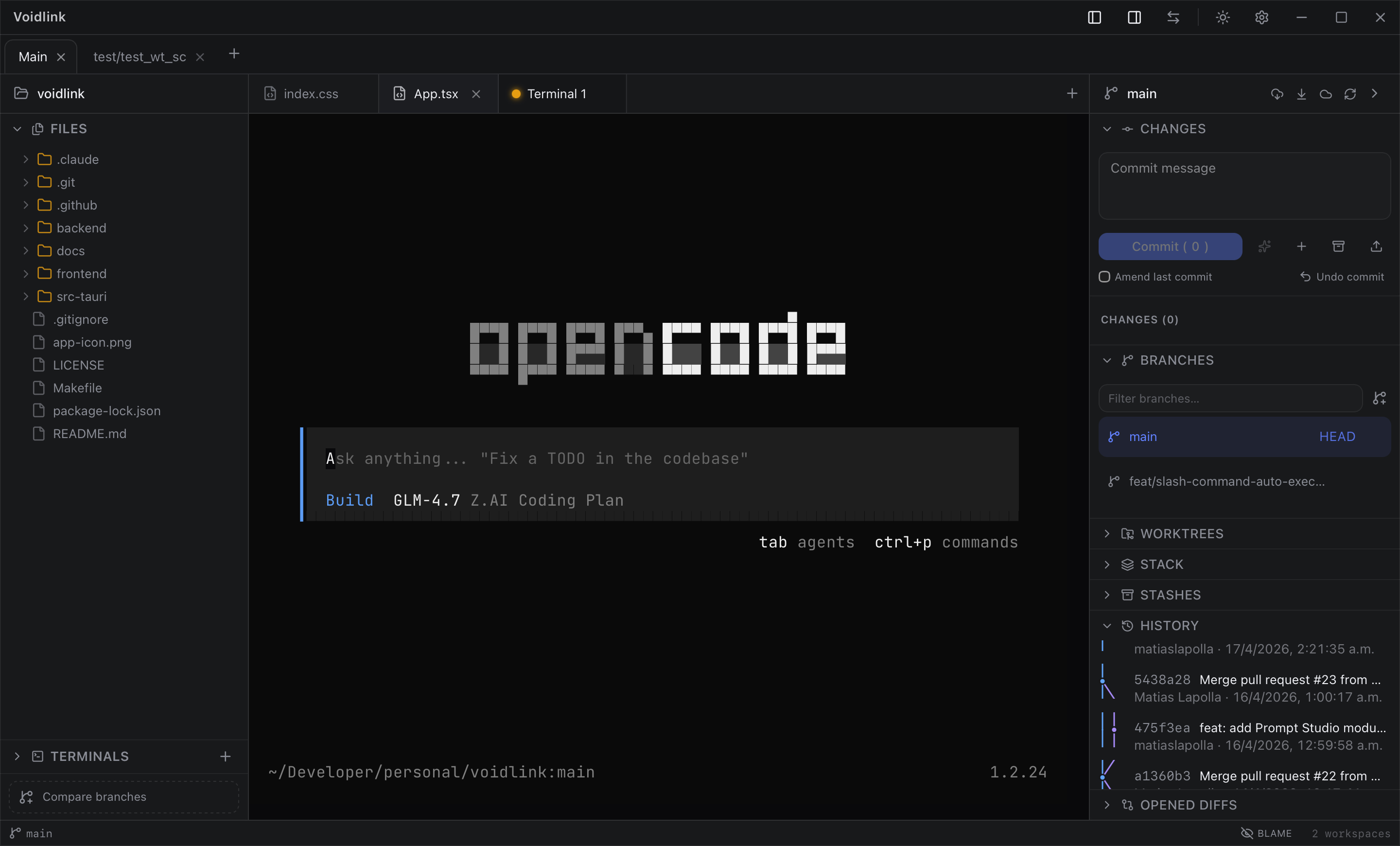
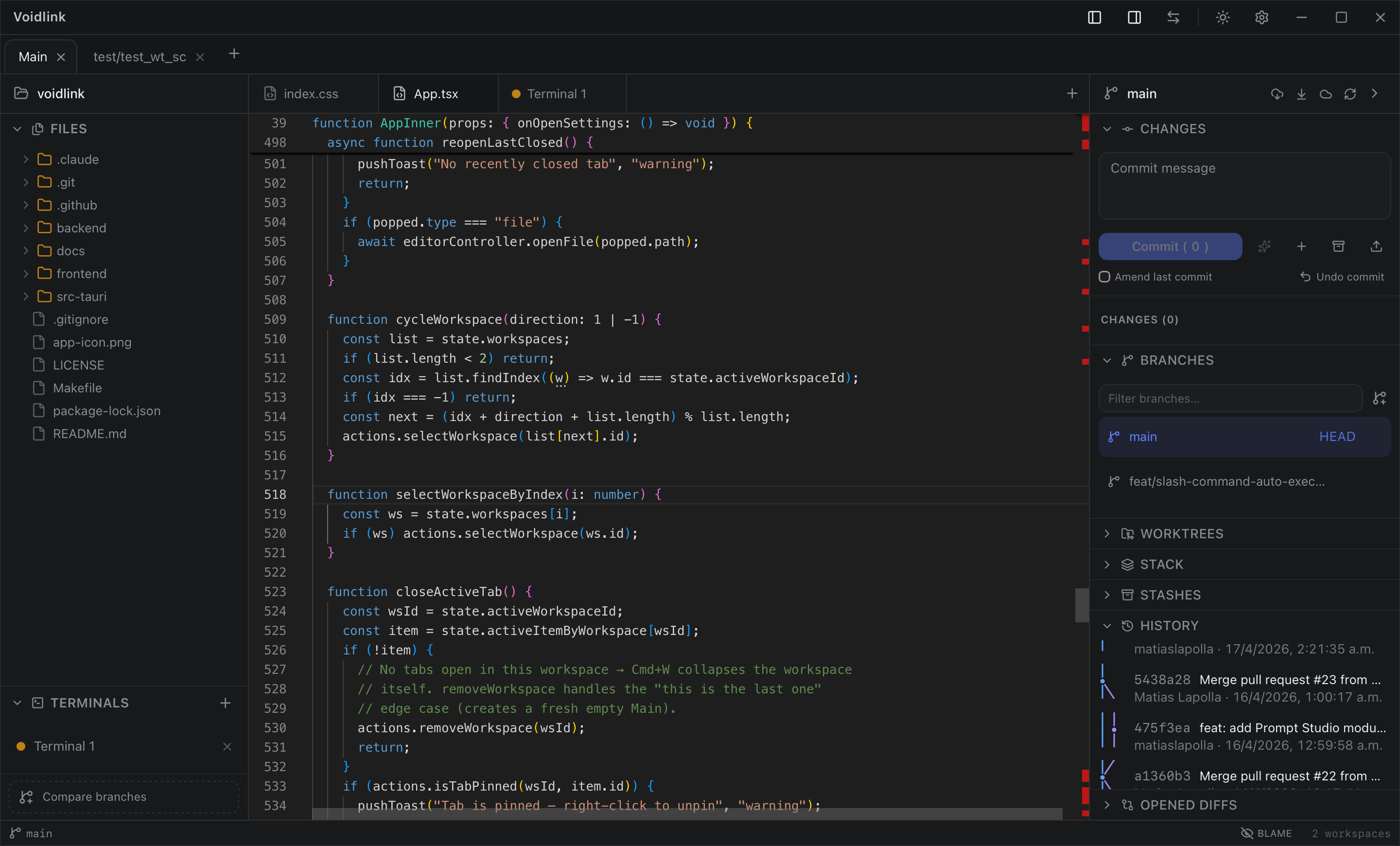
┌──────────────────────────────────────────────────────────────────────┐
│  ◇ voidlink            feature/auth ↑2   ✓ clean              ⌘K       │
├────────────┬─────────────────────────────────────────┬───────────────┤
│ ▾ src/     │  auth.rs                          ● dirty │ ▾ Stack       │
│   auth.rs  │  ─────────────────────────────────────── │  ● feature/ui │
│   lib.rs   │   1  use crate::session::Token;           │  │ feature/auth│
│ ▾ git/     │   2  pub fn verify(t: &Token) -> bool {   │  └ main       │
│   diff.rs  │   3 +    if t.is_expired() { return … }   │               │
│            │   4      t.signature_valid()              │ Restack ↻     │
│            │   5  }                                    │ Submit ↑      │
├────────────┴─────────────────────────────────────────┴───────────────┤
│  $ ▏                                                    bash · ⌃\ split │
└──────────────────────────────────────────────────────────────────────┘
Why VoidLink
Most “AI dev tools” ship a model client, ask for your API key, and phone home. VoidLink takes the opposite stance:
- Local-first. Everything — editor, terminal, Git engine — runs in a single native binary on your machine. There is no backend service and no database to sync.
- Bring your own CLI. AI features don’t embed a model or store keys. They
pipe context to whatever generative-text command you already have installed
(
claude,ollama,gh copilot, …) and read back stdout. Same trust model for commit drafting and the repo agent — one place, no secrets. - Keyboard-first. A command palette (
⌘K), fuzzy file finder, and global keybindings drive the whole app. Your hands never leave the keyboard. - A real Git engine. Powered by vendored
libgit2, so the full suite works without depending on a systemgitbinary — branches, stacks, rebases, conflicts, worktrees, hunk-level staging, and blame.
Features
🗂 Editor & files
- Monaco-powered code editor with multi-file tabs and dirty-state tracking
- File tree with create / rename / delete and in-place repo navigation
- Inline
git blameoverlay — see who last touched each line, toggleable - Live Markdown preview rendered side-by-side (
marked+DOMPurify) - Reactive editor & terminal themes that follow the app theme
▸ Terminal
- Real PTY sessions via
portable-pty+xterm.js(canvas-rendered, truecolor) - Multiple independent shells across tabs, each with your default shell
- Split view — two terminals side by side (
⌃\) - Nerd-font aware: Starship / powerline glyphs render out of the box
- Repeat-last-command and per-session scrollback history
⎇ Git suite
A near-complete Git client built directly on libgit2:
| Area | What you get |
|---|---|
| Working tree | Status, stage / unstage / stage-all, commit, amend, undo last commit |
| Hunk-level | Stage, discard, and apply individual hunks from the diff view |
| Branches | List, create, switch, rename, delete · MRU branch switcher |
| History | Commit log, working-tree diff, ref-to-ref diff, split diff renderer |
| Sync | Fetch, pull, push (SSH agent or GITHUB_TOKEN) |
| Rewrite | Merge, rebase, cherry-pick, revert — each with continue / abort |
| Reset | Soft / mixed / hard reset to any ref |
| Stash | Save, list, show, apply, pop, drop |
| Tags | Create, delete, push |
| Worktrees | Create / list / remove isolated worktrees, open a terminal in any |
| Remotes | Add, remove, rename, set URL |
⫶ Stacked PRs
Graphite-style stacked branches, built in:
- Track parent/child relationships and visualize the stack in the sidebar
- Restack a single branch or the whole stack after a trunk moves
- Submit the stack as a chain of GitHub PRs in one action — each PR’s body links to its place in the stack
- BYO-token: reuses
GITHUB_TOKENfrom your environment; nothing is written to disk
⚔ Conflict resolution
- Detects conflicted files and surfaces them in a dedicated tab
- Shows ours / theirs / base versions and resolves per-file from the UI
⎄ Branch compare
- Pick any two refs and inspect the full changed-file tree
- Per-file diff pane with the same split renderer used everywhere
🤖 AI — bring your own CLI
No embedded model, no API key, no telemetry. Configure a shell command in Settings → AI and VoidLink pipes context to it:
- Commit drafting — the staged diff is piped to stdin; the suggested message comes back on stdout
- Repo agent — a prompt grounded in live workspace state (current branch, status, recent log, staged diff, open files) is piped to your CLI; the UI shows exactly which sources went into the prompt
# example Settings → AI commands
claude --no-tools -p "Write a concise git commit message for this diff:"
ollama run llama3.2
⌘ Command-driven workflow
- Command palette (
⌘K) for every action - Fuzzy file finder to jump to any file
- Secret scanner — flags likely credentials before you commit
- Snapshots — lightweight local checkpoints of your work
- Status bar, toast notifications, contextual menus, and an operation banner for long-running Git actions
Tech stack
| Layer | Technology | Role |
|---|---|---|
| Desktop shell | Tauri 2 | Native window, JS ↔ Rust IPC, custom titlebar |
| Core logic | Rust | Git, PTY, filesystem, CLI bridge — all heavy work |
| Frontend | SolidJS + TypeScript | Fine-grained reactive UI in the WebView |
| Styling | Tailwind CSS 4 + lucide-solid + Geist |
Utilities, icons, type |
| Editor | Monaco | Code editing with workers per language |
| Markdown | marked + DOMPurify | Sanitized live preview |
| Terminal | portable-pty (Rust) + xterm.js | Real PTY, canvas terminal |
| Git | git2 (vendored libgit2) |
Git ops without a system git binary |
| HTTP | reqwest (blocking, rustls) | GitHub REST for stacked-PR submit |
| AI | BYO-CLI bridge | Shells out to your local generative-text CLI |
No embedded LLM client. No database. No backend service.
Quick start
Prerequisites
- Node.js 20+
- Rust 1.77+ (
rustup update stable) - macOS: Xcode Command Line Tools (
xcode-select --install) - Linux:
sudo apt install libwebkit2gtk-4.1-dev libappindicator3-dev librsvg2-dev patchelf
# Install frontend dependencies
cd frontend && npm install && cd ..

# Run the desktop app (macOS)
cargo tauri dev

# Run on Linux / Wayland
WAYLAND_DISPLAY="" cargo tauri dev
Frontend-only (no native window, for UI work):
cd frontend && npm run dev # http://localhost:5173
Configuration
VoidLink needs zero environment variables to run. A couple of optional knobs:
| Variable | Used by | Description |
|---|---|---|
GITHUB_TOKEN |
push / pull / stack submit | PAT with repo scope, used as an SSH-agent fallback for HTTPS auth. Never stored on disk. |
AI commands are configured in-app under Settings → AI (commit-draft and agent command templates) — not via environment variables.
Building
cargo tauri build # native installer in src-tauri/target/release/bundle
Tests
cd src-tauri && cargo test   # Rust unit tests (git engine, parsing, …)
cd frontend  && npm run lint # TypeScript / ESLint
Project structure
voidlink/
├── frontend/                 # SolidJS + Vite + TypeScript
│   └── src/
│       ├── App.tsx           # Root: workspace + tab orchestration
│       ├── api/              # IPC wrappers (invoke → Tauri command)
│       ├── commands/         # Command palette, file finder, keybindings,
│       │                     #   AI commit, agent, secret scan, snapshots, toasts
│       ├── components/
│       │   ├── editor/       # Monaco controller + blame overlay
│       │   ├── terminal/     # xterm.js pane
│       │   ├── preview/      # Markdown preview
│       │   ├── files/        # File tree
│       │   ├── git/          # Git suite: diff, sidebar, stack, compare, conflict
│       │   └── layout/       # App shell, titlebar, status bar, surfaces
│       └── store/            # Reactive stores: layout, settings, theme
└── src-tauri/                # Rust (Tauri desktop shell)
    └── src/
        ├── lib.rs            # Command registration + global state
        ├── fs/               # Filesystem commands
        └── git/              # libgit2-backed engine
            ├── repo, branch, status, staging, diff, push, fetch …
            ├── merge, rebase, pick (cherry-pick), reset, stash, tag …
            ├── worktree, conflict, blame, compare, apply_hunk, discard …
            ├── cli, ai_commit, agent     # BYO-CLI AI bridge
            └── stack/                     # stacked-PR discovery, restack, submit